Panoramas have the ability to convey space in a realistic, impressive way – but only when properly processed. At Kolorheaven, we offer Panorama Image Enhancement to optimize the quality of panoramic images in a comprehensive way: sharper, more harmonious colors, and completely eliminate noise. All aimed at helping you improve the customer experience and increase the effectiveness of your visual marketing.
Why Panorama Image Enhancement?
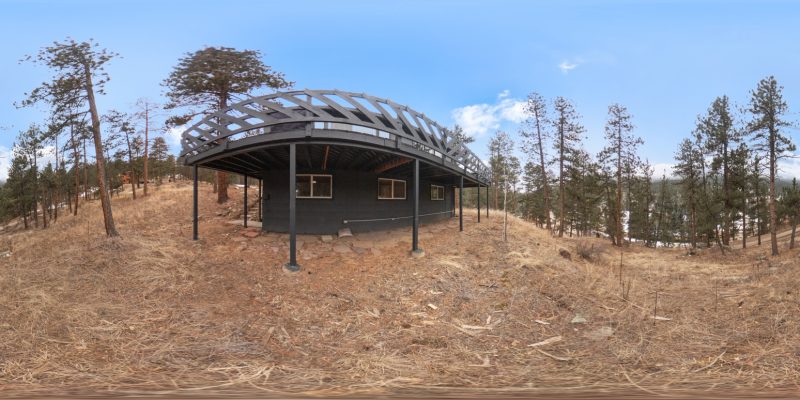
Panoramic photos are often taken from many different angles and stitched together using specialized software. However, the raw images after stitching often have problems:
- Uneven brightness between image areas
- Colors are off-tone, unnatural
- Stitching, shadows, or artifacts appear
- Uneven sharpness
That’s why Panorama Image Enhancement service becomes an indispensable step in the process of completing high-quality 360-degree photos.
What does Panorama Image Enhancement at Kolorheaven include?

We process panoramas according to international standards, ensuring each product achieves professional quality:
1. Crop & Rotate
Adjust the frame and orientation of the image appropriately to ensure optimal composition, bringing a sense of balance and ease of viewing.
- Stitching Correction
Fix the error of merging images between intersections, eliminating the phenomenon of “stitching lines” – a common factor in unedited panoramas.
- Brightness & Contrast Adjustment
Rebalance the light and dark areas, enhance the depth and sense of space.
- Color Correction
Adjust the overall color to make the image more consistent, realistic and vivid.
- Apply photo filters (Creative Filters)
Depending on the requirements, Kolorheaven applies professional color filters to enhance visual effects while maintaining authenticity.
- Remove points, camera flashes, shadows and unwanted objects
Remove unwanted elements such as the photographer’s shadow, flash, power lines… to keep the image neat and attractive.
Workflow at Kolorheaven
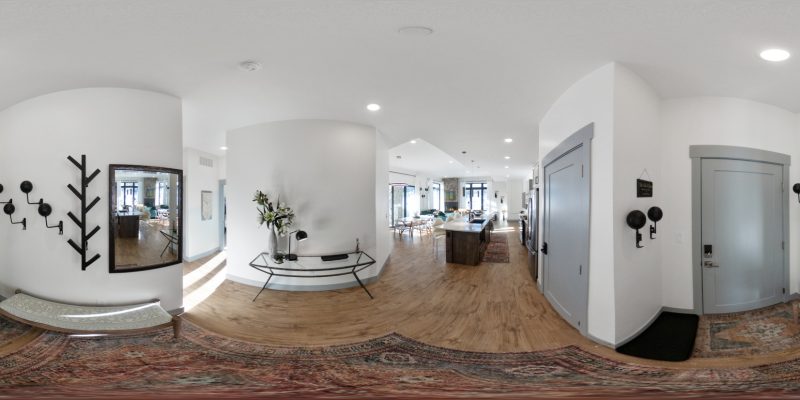
Kolorheaven optimizes the workflow to ensure fast – neat – professional, suitable for the pace of agencies, studios or advertising businesses.
Step 1: Deliver photos on Dropbox
Customers send panoramic photos (unedited) via Dropbox or storage link.
Step 2: Image processing
Kolorheaven’s team of graphic experts will edit according to the required categories.
Step 3: Upload the order to “Complete work”
The processed photos are returned on time via the order system.
Step 4: Complete the order
Customers receive the completed photo files, check the quality, accept and pay.
Why Choose Kolorheaven for Panorama Image Enhancement

- Specializing in Panorama & 360-degree image processing
- Highly specialized team, closed process
- Optimized for VR applications, 360 Virtual Tours or real estate marketing
- Fast processing time – on time
- Flexible costs, suitable for business needs
Conclude
Whether you work in real estate, hospitality, or high-tech product marketing, quality panoramas are a powerful visual weapon. With Kolorheaven’s Panorama Image Enhancement service, you’ll get images that are not only beautiful but also highly convincing – ready for use in media campaigns, web, or virtual experiences. Contact Kolorheaven now to upgrade your panoramas professionally – quickly – effectively.