
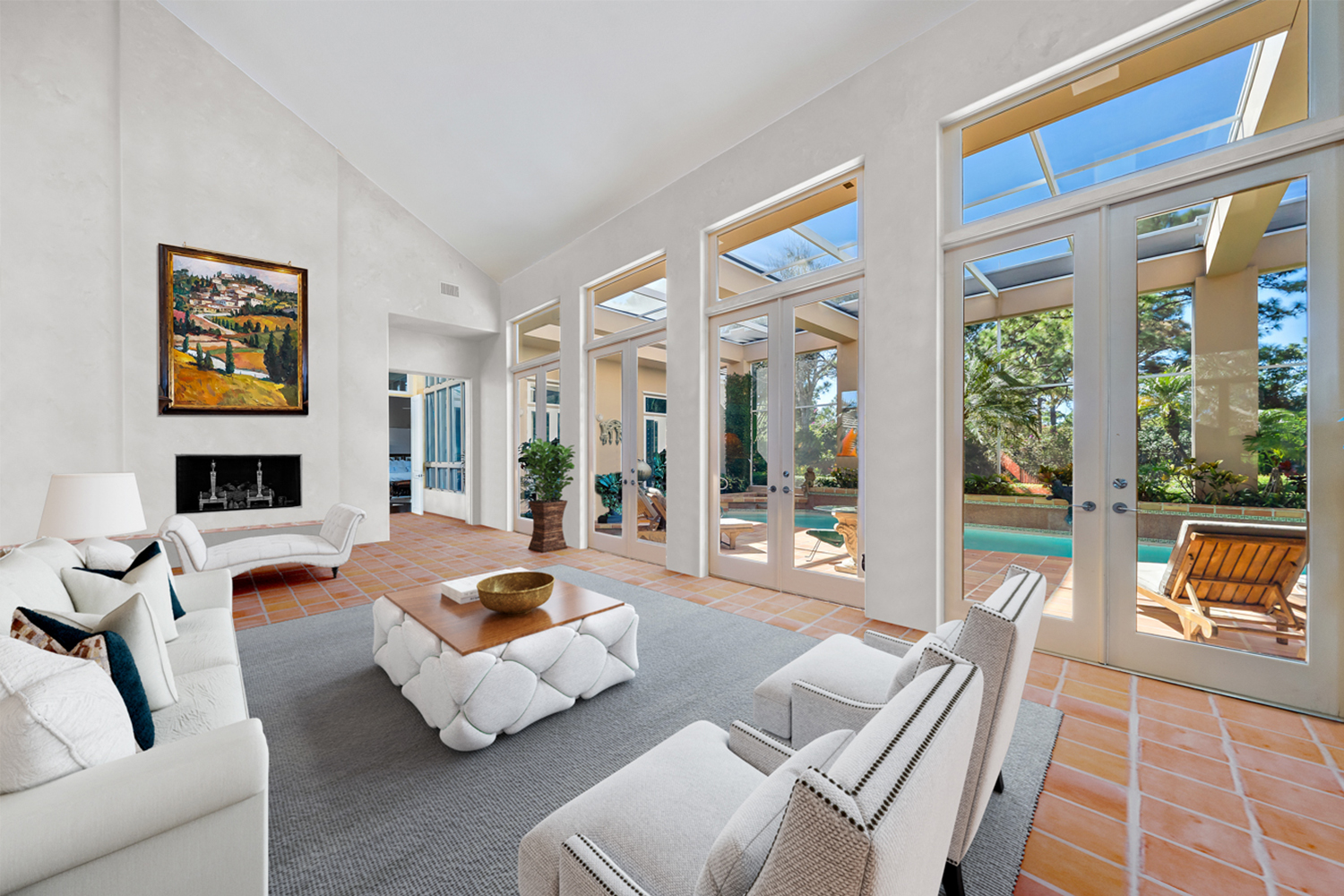
Virtual staging has become an indispensable tool for real estate photography, allowing agents to present properties in their best possible light, even if they’re empty. By strategically placing virtual furniture and decor elements, you can help potential buyers visualize the space and envision themselves living there.
Key Considerations for Virtual Staging:
- Property Style: Choose furniture and decor that complement the property’s existing style and architecture.
- Target Audience: Consider the preferences and demographics of the target buyer to select appropriate furnishings.
- Functionality: Ensure the virtual staging creates a functional and inviting layout.
- Consistency: Maintain a consistent style and color palette throughout the staged images.
- Realistic Lighting: Pay attention to lighting to ensure the virtual elements look natural and integrated with the existing scene.

Advanced Virtual Staging Techniques:
- Custom Furniture: Create custom furniture models to match specific design elements or unique features of the property.
- Seasonal Decor: Incorporate seasonal elements to appeal to buyers at different times of the year.
- Interactive Staging: Explore interactive virtual staging tools that allow viewers to rearrange furniture or change decor elements.
- Exterior Staging: Extend virtual staging to outdoor spaces by adding landscaping, patio furniture, or other elements.
Tools and Resources:
- Adobe Photoshop: A powerful tool for basic virtual staging tasks, including adding and editing objects.
- Specialized Virtual Staging Software: Consider using dedicated software like Cincopa, Placeit, or iStaging for more advanced features and automation.
- 3D Modeling Software: For complex projects or custom furniture creation, explore 3D modeling software like Blender or SketchUp.
- Online Furniture Libraries: Utilize online libraries to access a wide range of virtual furniture and decor options.
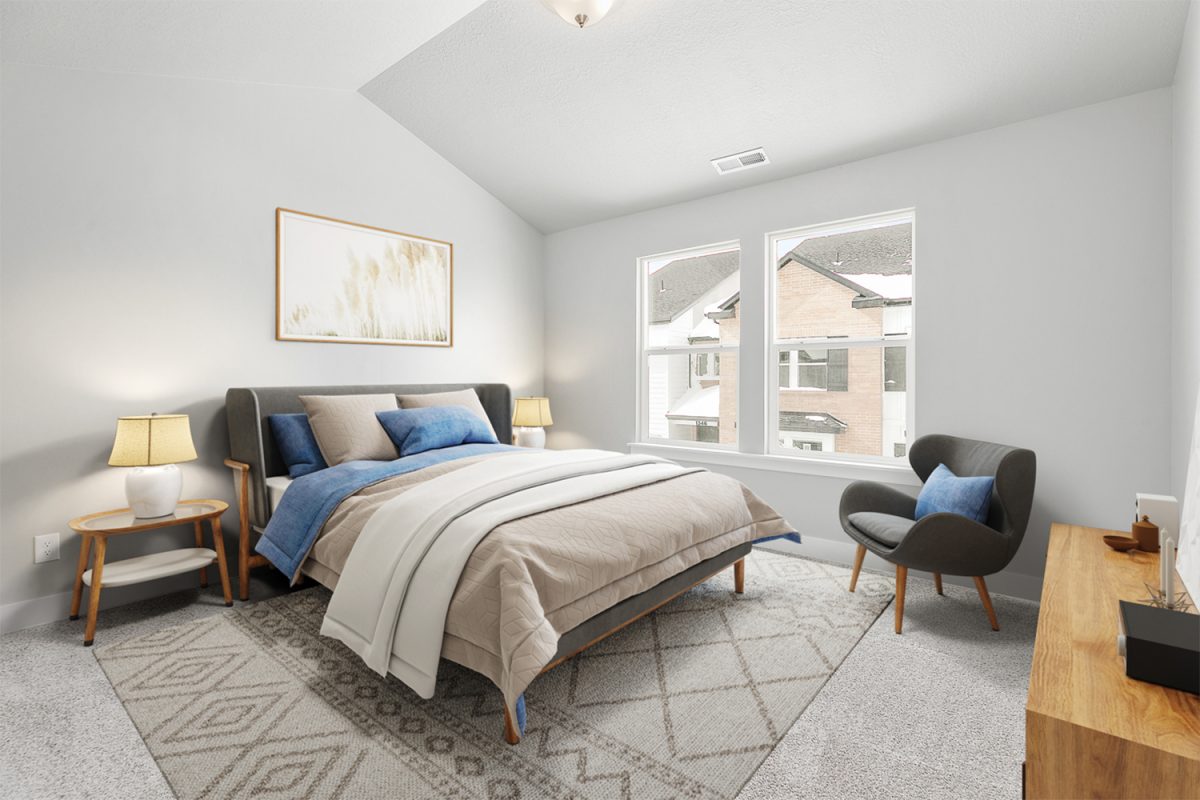
By mastering virtual staging techniques, you can create visually appealing and engaging real estate listings that attract more potential buyers and accelerate sales.
Specific challenge with virtual staging
Here are some common issues that real estate photographers encounter:
Realistic Material Textures:
Matching the textures of virtual furniture and decor elements to the existing materials in the property is crucial for a cohesive and believable scene.
Challenges:
- Texture Resolution: Ensuring that the textures used for virtual objects are high-resolution and detailed enough to appear realistic.
- Material Consistency: Maintaining consistency between the textures of virtual objects and the actual materials in the property, such as wood, fabric, or metal.
- Lighting Effects: How textures interact with light can significantly impact their appearance. Virtual textures should respond to the property’s lighting conditions in a realistic way.
Tips:
- High-Quality Textures: Use high-resolution texture libraries or create custom textures using 3D modeling software.
- Material Matching: Pay close attention to the details of the property’s materials and select textures that closely resemble them.
- Lighting Considerations: Experiment with different texture settings to ensure they look realistic under various lighting conditions.
Realistic Lighting:
Ensuring that the virtual furniture and decor elements appear to be lit by the same light source as the rest of the image is crucial for a believable and integrated scene.
Challenges:
- Multiple Light Sources: Properties often have complex lighting setups with multiple windows, lamps, and other sources. Simulating these accurately can be challenging.
- Shadow Casting: Virtual objects should cast realistic shadows that correspond to the property’s lighting conditions.
- Light Intensity and Direction: The intensity and direction of light can significantly affect the appearance of virtual elements.
Tips:
- Analyze Existing Lighting: Carefully study the property’s lighting conditions and identify the primary light sources.
- Use Light Layers: Create separate light layers in your editing software to control the intensity and direction of different light sources.
- Shadow Mapping: Utilize shadow mapping techniques to create realistic shadows for virtual objects.
- Experiment with Lighting Settings: Adjust the lighting settings in your virtual staging software to achieve the desired effect.
Furniture Scaling:
Ensuring that the virtual furniture is scaled appropriately to fit the space and look realistic is crucial for a believable and inviting scene.
Challenges:
- Perspective Distortion: Furniture can appear larger or smaller depending on its placement in the image.
- Room Dimensions: Accurately estimating the dimensions of the room to ensure furniture is scaled correctly.
- Furniture Proportions: Maintaining the correct proportions of furniture to avoid unrealistic appearances.
Tips:
- Use Reference Points: Refer to the property’s architectural plans or measurements to determine accurate dimensions.
- Experiment with Scaling: Try different scales for virtual furniture and observe how it fits within the space.
- Consider Perspective: Be mindful of perspective distortion and adjust the scale of furniture accordingly.

Integration with Existing Elements:
Blending virtual elements seamlessly with the property’s existing features, such as walls, floors, and windows, is crucial for a realistic and cohesive scene.
Challenges:
- Perspective Matching: Ensuring that virtual objects align correctly with the property’s perspective and vanishing points.
- Material Consistency: Maintaining consistency between the textures and materials of virtual objects and the existing elements.
- Lighting Interactions: How virtual elements interact with the property’s existing lighting can impact their appearance.
Tips:
- Use Reference Points: Identify key reference points in the property, such as corners, windows, and doors, to guide the placement of virtual elements.
- Adjust Perspective: If necessary, adjust the perspective of virtual objects to match the property’s perspective.
- Pay Attention to Details: Consider how virtual elements interact with existing features, such as casting shadows on walls or reflecting light from windows.
Realistic Shadow Casting:
Accurately simulating the shadows cast by virtual furniture and decor elements to create a more realistic and integrated look is crucial for a believable scene.
Challenges:
- Shadow Complexity: Complex lighting setups can create intricate and dynamic shadows that can be difficult to replicate accurately.
- Shadow Occlusion: Shadows should be occluded by other objects in the scene, creating a more realistic effect.
- Shadow Softness: The softness or sharpness of shadows depends on the light source and distance. Simulating this accurately can be challenging.
Tips:
- Use High-Quality Shadow Mapping: Utilize advanced shadow mapping techniques to create realistic and detailed shadows.
- Consider Light Source: The type and size of the light source will affect the shape and softness of shadows.
- Pay Attention to Occlusion: Ensure that shadows are occluded by other objects in the scene to create a more realistic effect.
Contact us now:
- Website: https://kolorheaven.com
- Fanpage: https://www.facebook.com/Kolorheaven.services
- Phone: 089 977 91 11
- Email: kolorheaven@cskolorheaven.com
- Work office: 22 TT1 – Tu Hiep auction site, Thanh Tri, Hanoi.
- Designing office: Block TT 56-57, Tran Thu Do road, Ngu Hiep, Thanh Tri, Hanoi,